
Put Your GPU to Work: Offline AI Video Enhancement with Aiarty (Black Friday Deal)
Modern GPUs are no longer used exclusively for gaming and 3D rendering. They also support an expanding range of local AI workloads, including image…
Why am I seeing this Ranked on source trust — TechPowerUp
It ranks mainly on source trust: TechPowerUp is the most reliable outlet we track on this subject, and is the only one on the story so far.
Single-sourced. No second organisation has confirmed it yet.
Link-outLink-out, because only one organisation carries it and no first-party source is on it. Link-out means we point at the publisher and say nothing of our own.
| Factor | Weight | Score | Contribution | Where it came from |
|---|---|---|---|---|
| Corroboration | 0.35 | 0.39 | +0.135 25% | 1 independent org on the story. Tier-3 aggregators never corroborate — they can show something is circulating, never that it is true. |
| Source trustleads | 0.25 | 0.80 | +0.200 37% | TechPowerUp is the highest-trust source on this story. Trust is taken from the best source, not averaged. |
| Pickup rate | 0.20 | 0.00 | +0.000 0% | One counted organisation, so there is no spread to measure — nothing has picked this up to set a rate. |
| Freshness | 0.20 | 1.00 | +0.200 37% | Halves every 10 hours from the newest item on the story. This is the only factor that rewards a story for nothing more than being recent. |
Corroboration counts distinct organisations, once each, and only from tiers 1 and 2. Freshness halves every 10 hours, so this ranking is a snapshot and will differ at the next build.
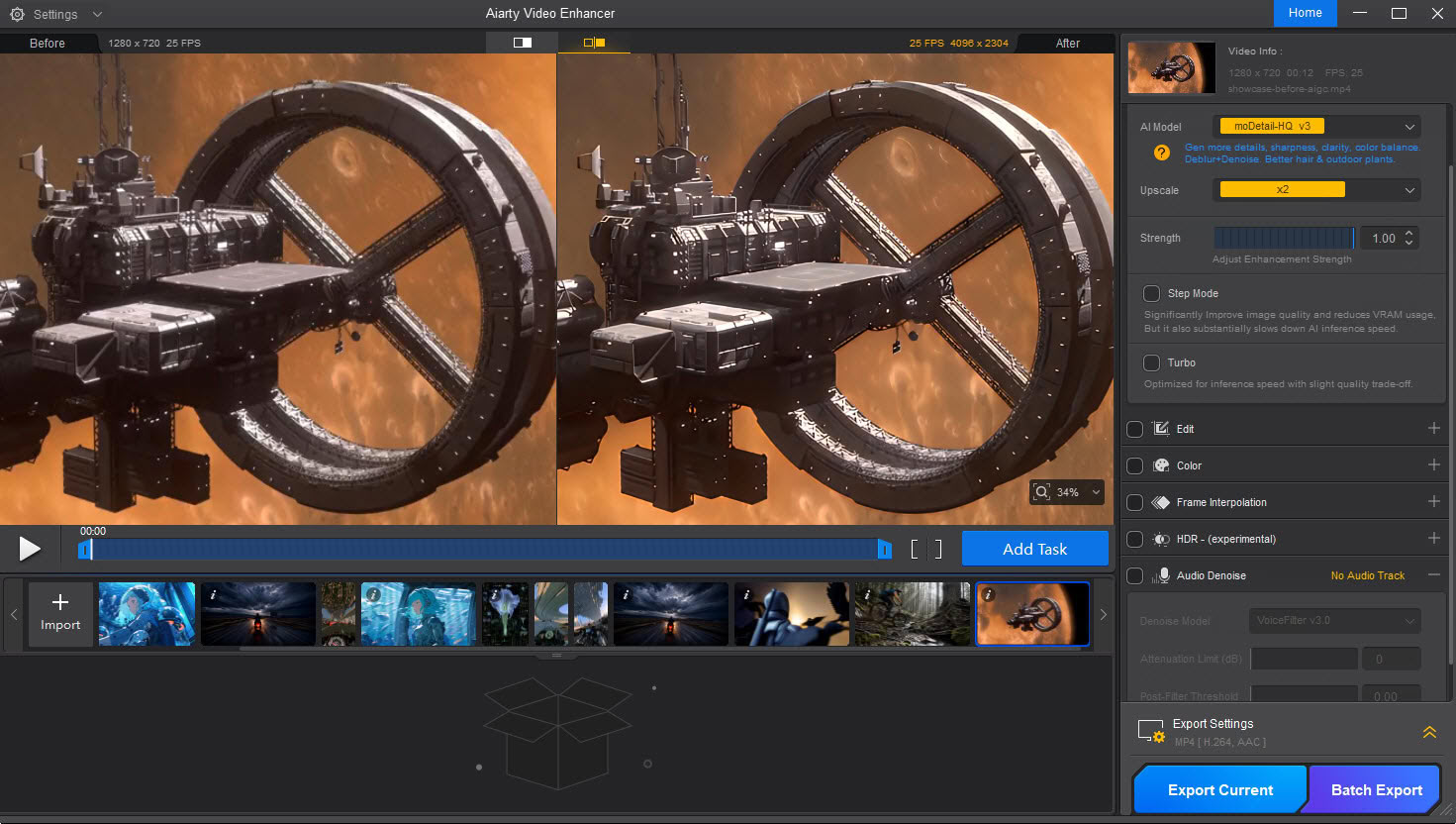
Aiarty Video Enhancer is a desktop application for Windows and macOS that processes video files locally using GPU acceleration. The software includes dedicated models for reducing noise, sharpening blurry or pixelated content, and upscaling resolution. It targets users with collections of older recordings, compressed clips, or low-resolution footage who want to enhance and export their own files rather than rely on browser-based streaming solutions.
Modern GPUs have expanded beyond gaming and 3D rendering to support local AI workloads including image and video processing. Desktop-based enhancement tools differ from browser solutions by allowing users to address noise, blur, compression artifacts, and resolution limitations directly in source footage before export. This approach gives PC enthusiasts control over their enhancement workflow without relying on streaming services.
The application represents a practical use case for GPU computing power among users with large video libraries. Rather than accepting quality limitations in archived or compressed footage, desktop AI enhancement tools enable direct improvement of video files through local processing on consumer hardware.
What happened
Modern GPUs are no longer used exclusively for gaming and 3D rendering. They also support an expanding range of local AI workloads, including image and video processing. For PC enthusiasts with large collections of older recordings, compressed clips, or low-resolution footage, AI video enhancement offers another practical use for desktop computing power. Browser-based solutions such as NVIDIA RTX Video Super Resolution can improve the appearance of supported streaming content during playback. However, users who want to enhance and export their own video files need a different kind of workflow—one that can address noise, blur, compression artifacts, and resolution limitations in the source footage.
How this story arrived
Ordered by when each source was first observed, which is what the velocity figure is computed from. Publishers backdate; observed order does not.
- 01 Techpowerup first seen Put Your GPU to Work: Offline AI Video Enhancement with Aiarty (Black Friday Deal)
Overclock clusters coverage from independent sources and grades it automatically. The figures above are computed, not editorial. This page summarises and links to reporting by the outlets named — follow the links for the original work.